Fabric Lineage
Field-level data lineage for Microsoft Fabric — trace every report field back through the DAX measure that computes it, the semantic model column it aggregates, the warehouse view and table behind that, the pipeline that loaded it, and the source file it originated from. Fabric's built-in lineage stops at the item level; Fabric Lineage follows the field.
Problem Solved
Fabric's built-in lineage view stops at the item level (dataset → report), which can't answer the questions data teams actually get asked: "Where does this KPI come from?", "What breaks if I drop this column?", and "Is it safe to deploy this release?" Answering those requires field-level lineage — following an individual number on a report visual all the way back to the source file or database it originated from.
Fabric Lineage builds that graph in four layers, each adding coverage on top of the last: deterministic extraction from Fabric REST APIs, the Power BI Scanner API, XMLA endpoints, INFO.CALCDEPENDENCY() and INFORMATION_SCHEMA; code parsing of SQL, DAX, Power Query M, and Spark notebooks; AI inference where code is too dynamic to parse; and finally export as OpenLineage events, write-back to Microsoft Purview, and scan-to-scan comparison for drift detection and CI/CD deployment gates.
Key Features
Field-Level Lineage Across the Full Stack
Traces individual fields — not just items — across semantic models, warehouses, pipelines, and notebooks: from a Power BI visual through its DAX measure, model column, warehouse view and table, and the pipeline that loaded it, down to the source.
Evidence & Confidence on Every Edge
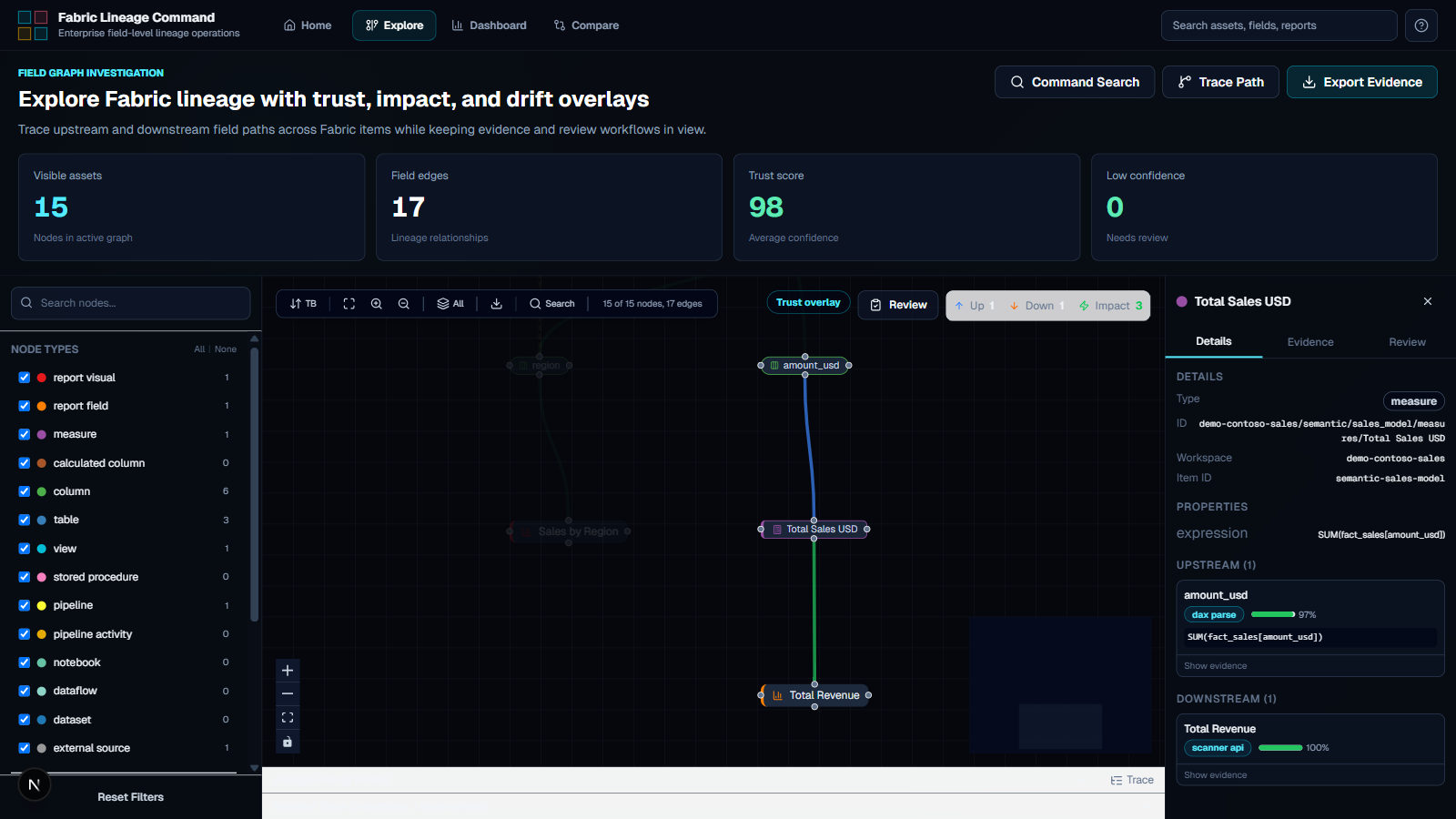
Every edge in the graph carries its evidence: which extractor or parser produced it, the exact expression involved, and a confidence percentage — whether it was API-extracted, parsed, or AI-inferred. Nothing is a black box.
Interactive Explore Graph
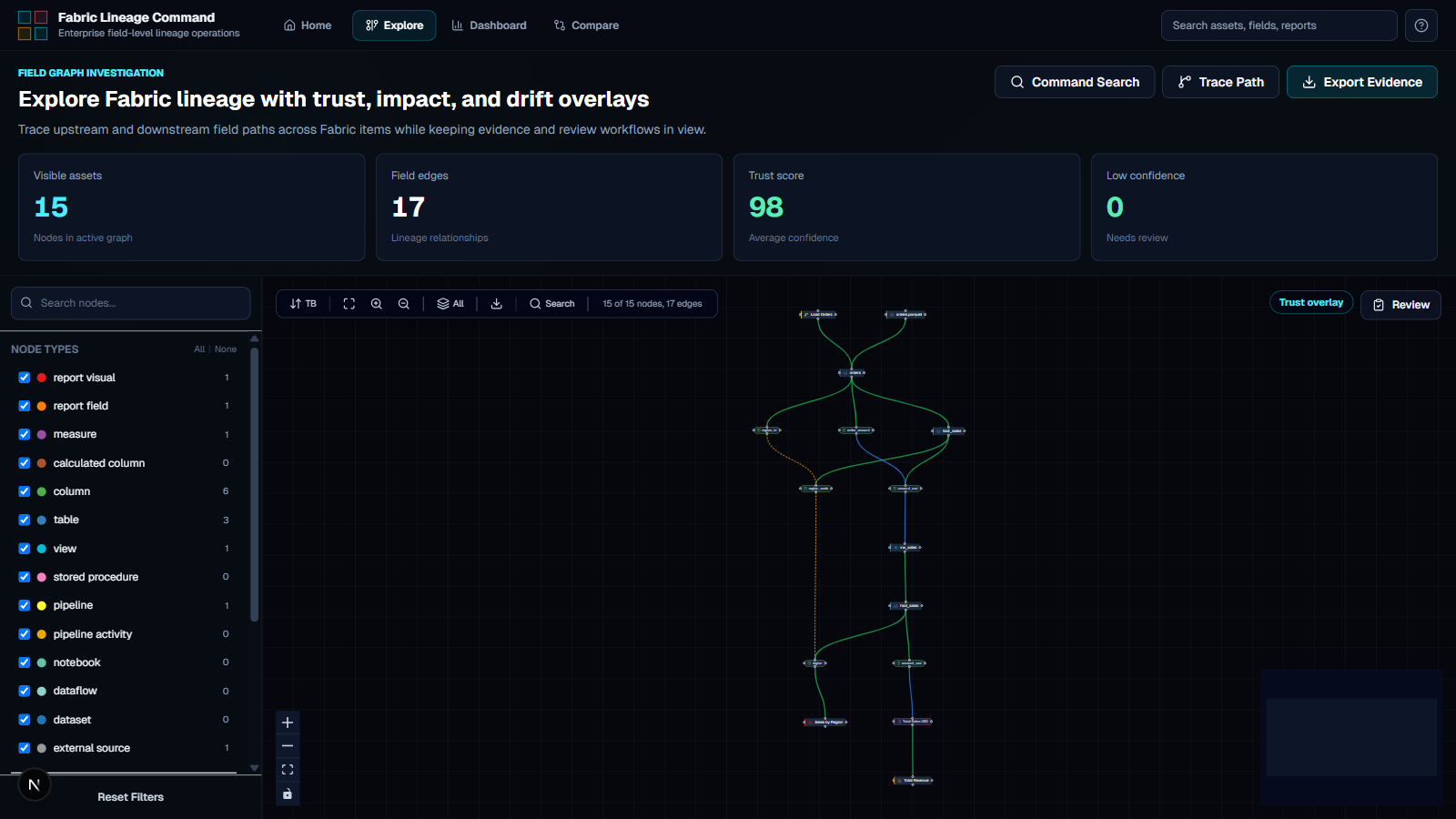
A field-level lineage graph (ReactFlow + Dagre) with trust, impact, and drift overlays. Filter by node type or architectural layer, trace upstream/downstream paths, and inspect the evidence behind any edge.
Impact Analysis
Answers "what breaks if I drop this column?" — which reports and measures are affected by a schema change, prioritised by production impact and certified-report exposure.
Drift Detection & Deployment Gates
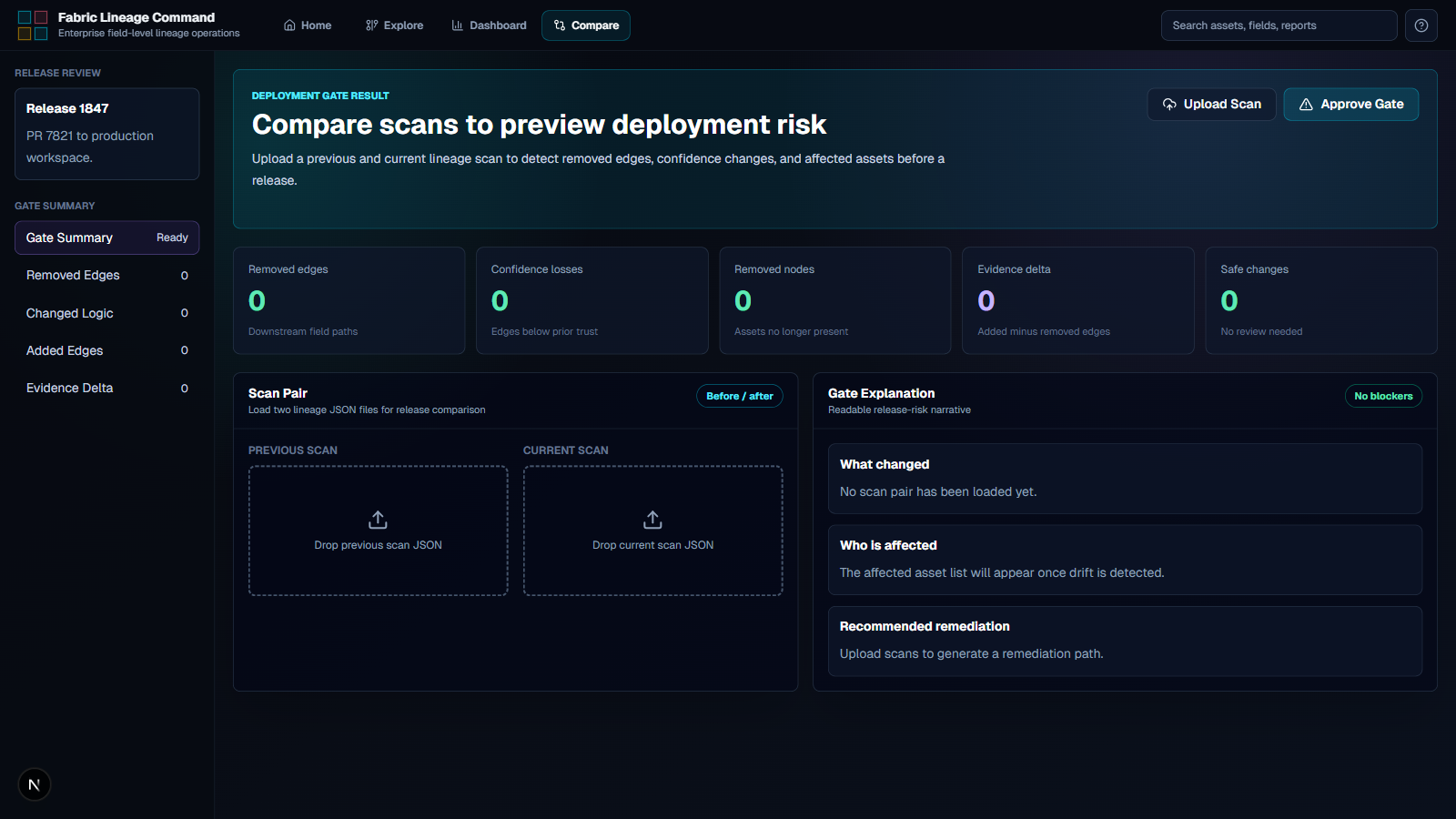
The Compare view diffs two scans and reports removed edges, confidence losses, and affected certified reports before a release ships — wired into CI/CD as a deployment gate, with a plain-language risk narrative.
OpenLineage Export & Purview Write-Back
Results export as OpenLineage events and write back to Microsoft Purview, so the lineage graph feeds the wider governance estate instead of living in a silo.
Architecture
Architecture Overview
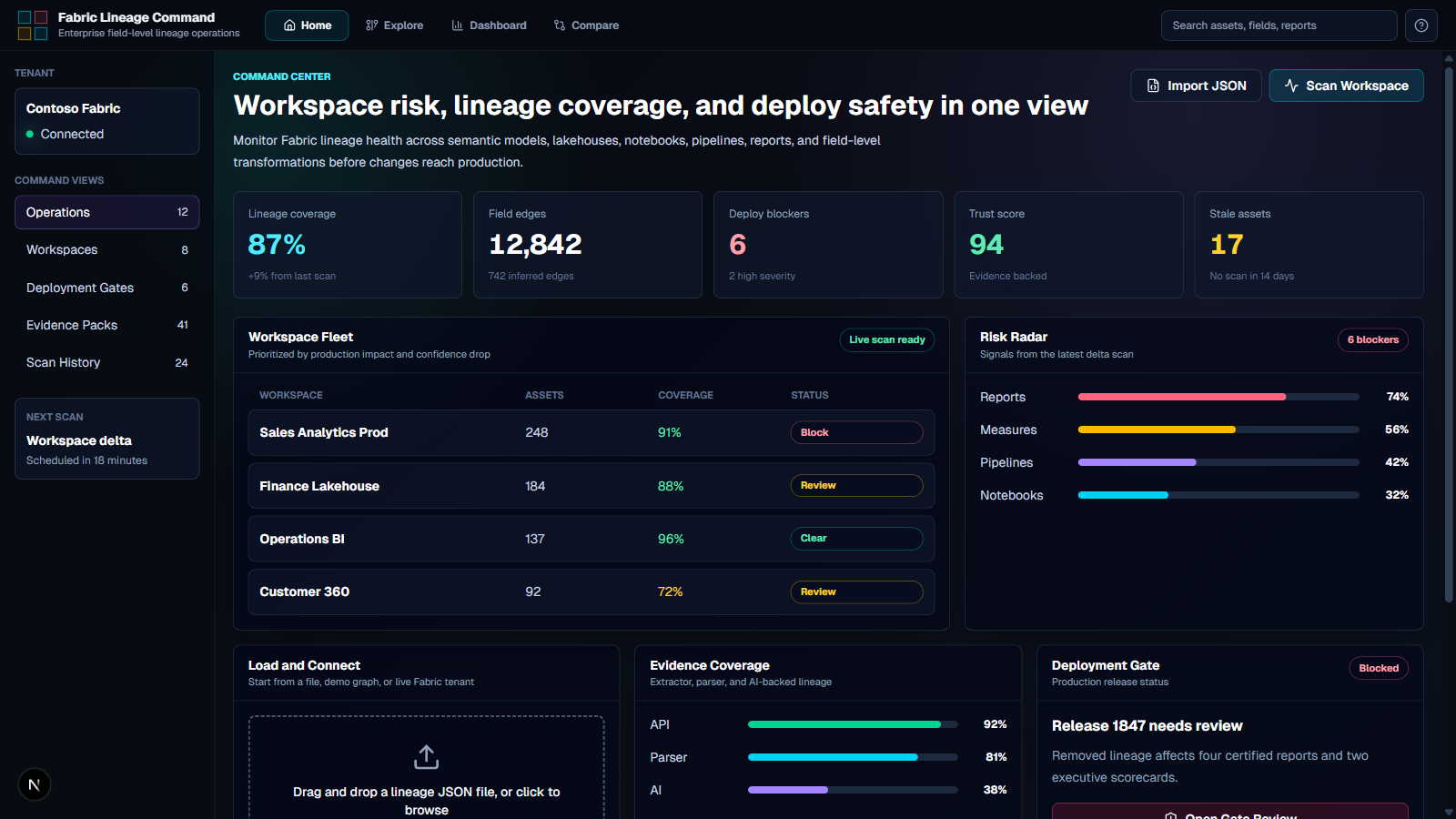
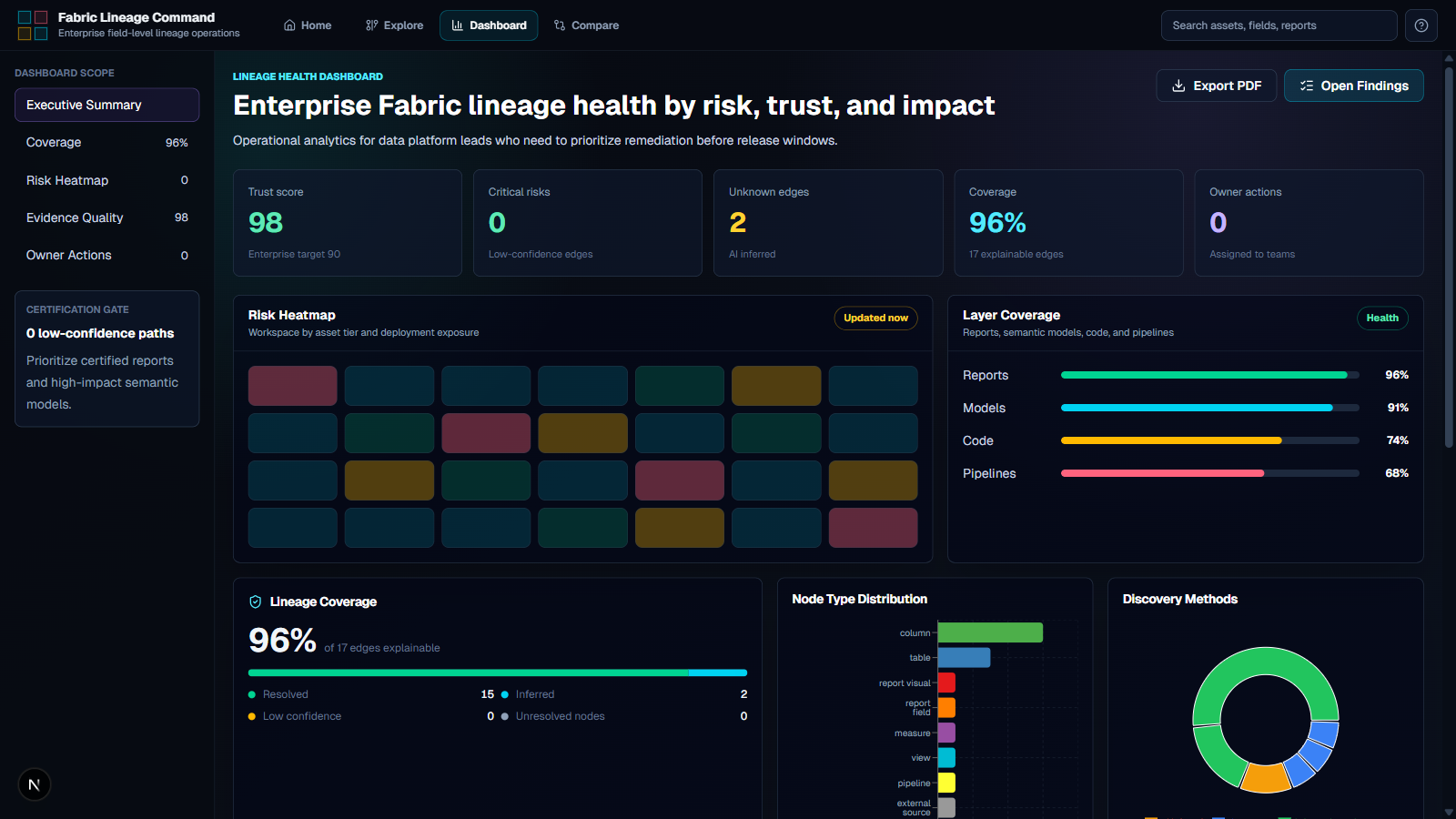
A Python lineage engine does the extraction and graph building; a Next.js web command center sits on top as the operations console for lineage at enterprise scale — Command Center for workspace fleet health, Explore for the interactive field graph, Dashboard for lineage health analytics, and Compare for scan-pair drift review.
Lineage is built in four layers, each adding coverage on top of the last: deterministic extraction, code parsing, AI inference, then output and integration.
- Engine: Python 3.10+, typer CLI, httpx (async), pydantic, pyapacheatlas
- Extraction: Fabric REST APIs, Power BI Scanner API, XMLA, INFO.CALCDEPENDENCY(), INFORMATION_SCHEMA
- Parsing: sqlglot for SQL; dedicated parsers for DAX, Power Query M, and Spark notebooks
- AI inference: Anthropic Claude API with tiered model selection and per-edge confidence scores
- Web app: Next.js 16 (Turbopack), React 19, TypeScript, Tailwind CSS 4, ReactFlow + Dagre, Zustand, Recharts, Zod
- Integration: OpenLineage export, Microsoft Purview write-back, multi-tenant auth with per-tenant credential caching
- Quality: pytest + pytest-asyncio, vitest, Playwright end-to-end tests, ruff, mypy
Key Decisions
Deterministic first, AI last
The four-layer design pulls exact metadata from platform APIs wherever the platform can give a definitive answer, parses code where it can't, and only reaches for Claude when code is too dynamic to parse deterministically — with tiered model selection and a confidence score attached to every inferred edge.
Evidence attached to every edge
A lineage graph is only useful if teams trust it enough to act on it — including blocking a deployment. Recording the extractor or parser, the exact expression, and a confidence percentage on every edge makes each claim auditable rather than a black box.
Open Core distribution
An open-source community edition drives adoption and lets teams validate the engine on their own tenant, while a license-gated Pro edition carries the advanced parsers, AI inference, Purview integration, and CI/CD tasks that enterprises pay for.
Screenshots
Interested in something similar?
We scope, design, and ship data and AI tools that solve the problems your team actually has.
Let's Talk