Understanding the "Harness" in Agentic Coding Tools: Claude Code vs Codex
When people debate which agentic coding tool is better—Claude Code, Codex, Cline, Cursor—they often fixate on the underlying model. Which LLM has better benchmarks? Which produces cleaner code? That framing misses half the picture. The model is the reasoning engine; the harness is what makes it actually useful, or not, in your day-to-day work.
This piece unpacks what a harness is, what it does, what separates a good one from a fragile one, and how Claude Code and Codex compare along those dimensions.
What Is a Harness?
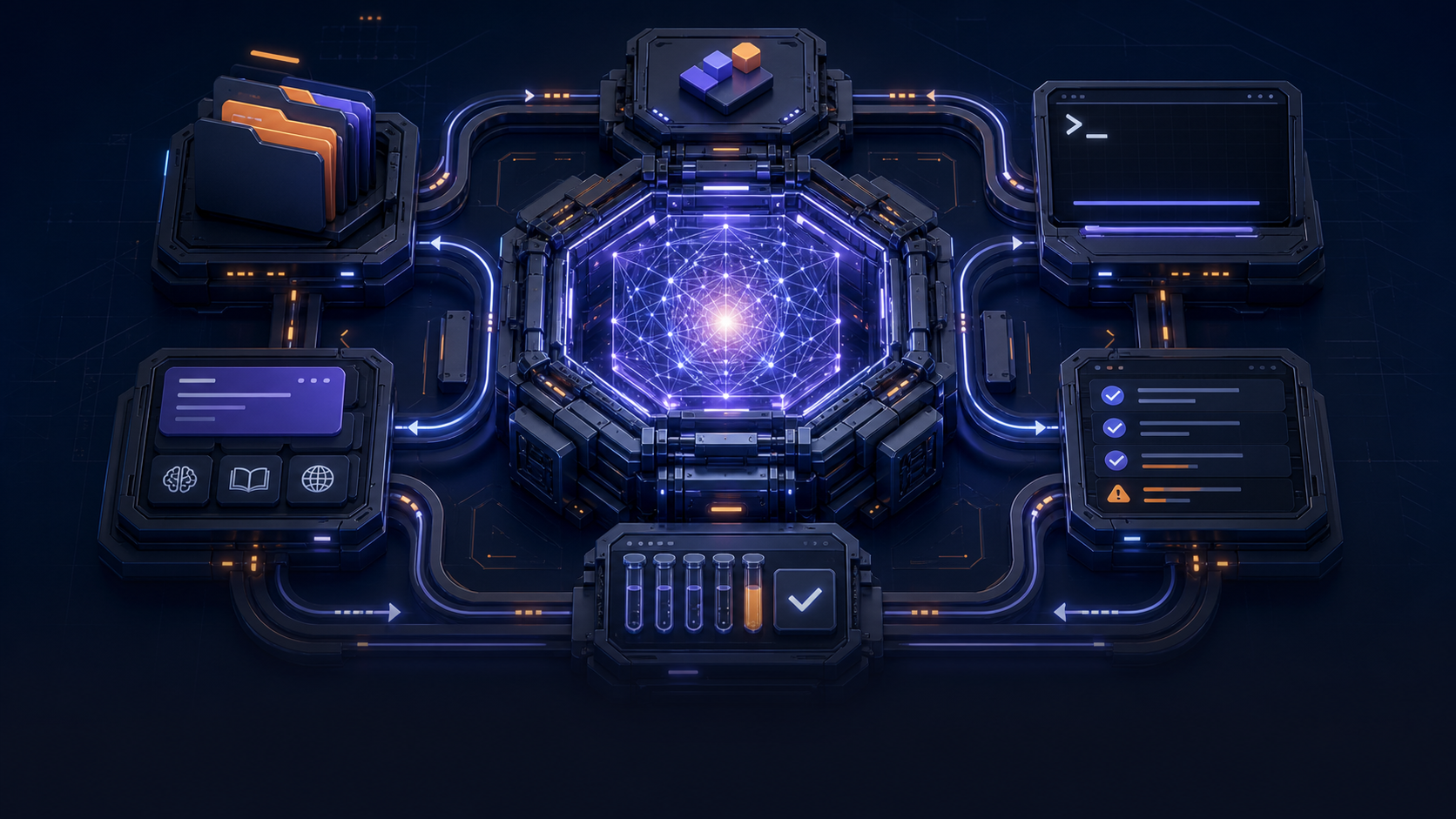
Think of the harness as the scaffolding wrapped around an LLM to turn it into an agent. The model itself is a next-token predictor—brilliant at reasoning, but inherently passive. It cannot open a file, run a test, or remember that you renamed a variable three turns ago. The harness supplies all of that.
Concretely, the harness is everything outside the model weights:
- Tool definitions — A catalog of actions the model can invoke: read a file, write a file, run a shell command, search the web, call an API.
- The orchestration loop — The cycle of: build a prompt, call the model, parse its output, execute any tool calls, feed results back, repeat until the task is done or a stopping condition is met.
- Context management — Deciding what goes into the model's prompt window on each turn: which files, which conversation history, which tool results, which memory artifacts.
- Memory and persistence — Mechanisms for carrying state across turns and sessions: in-memory scratch space, file-backed notes, project configuration files for long-horizon recall.
- Safety and permission controls — Gates that require user approval before the agent takes irreversible or high-blast-radius actions: overwriting files, running arbitrary shell commands, committing to a repo.
- Error recovery — Handling tool failures, model refusals, malformed outputs, and partial completions without silently derailing the task.
A useful mental model: the LLM is a contractor with deep expertise. The harness is the project management system — the intake form, the communication channel, the toolbox, the approval workflow, and the safety checklist all rolled into one. A great contractor in a broken PM system produces worse outcomes than a decent contractor in a well-run one.
What the Harness Does, Step by Step
To make this concrete, here is what happens when you ask an agentic coding tool to "add input validation to the user registration endpoint":
- Context assembly. The harness gathers relevant context — the current file, recent conversation history, project conventions from a config file — and constructs the initial prompt.
- Model call. The prompt is sent to the LLM, which reasons about the task and either produces a direct response or requests tool calls (e.g., "read
routes/auth.ts"). - Tool dispatch. The harness intercepts the tool call, validates it against the permission model, executes it, and captures the result.
- Result injection. The file contents are fed back into the next prompt turn, and the model continues reasoning — now with the actual code in front of it.
- Code generation and application. The model produces a diff or complete file. The harness applies it, potentially asking for confirmation before touching anything irreversible.
- Verification loop. The harness may run linting, tests, or a type check and feed the output back so the model can iterate if something broke.
- Termination. The loop ends when the task is complete, the model signals done, or an error budget is exhausted.
Every step in that sequence is harness logic. The model contributes only the reasoning and the code generation. The rest is scaffolding — and the quality of that scaffolding determines whether the model's intelligence translates into reliable, safe work.
What Makes a Good Harness?
Not all harnesses are equal. The dimensions that separate a production-grade harness from a fragile one:
- Reliability of tool execution. Does a file read actually return the file? Does a shell command capture stderr as well as stdout? Does the harness retry cleanly on transient failures, or does a single flaky tool call derail the session? Reliability sounds boring until a harness drops a result silently and the model hallucinates the answer.
- Tool design and scope. Well-designed tools are atomic, composable, and hard to misuse. A tool that does too much is hard for the model to target precisely; a tool that does too little forces the model to chain calls in brittle ways. The best harnesses give the model a small, sharp toolset rather than a large ambiguous one.
- Context management. The context window is finite. A harness that naively stuffs everything in eventually hits the limit and degrades — or truncates something important. A good harness is opinionated about what matters: it prioritizes the active file over the full repo, the recent error over the full conversation history, the current task over old tangents. This is harder to get right than it sounds.
- Memory and recall. For tasks that span multiple sessions — a two-week feature, a multi-phase migration — the harness needs mechanisms for persisting state. Project instruction files, note files the agent can write and read back, indexed past decisions. Without these, every session starts from scratch and the agent cannot build on earlier context.
- Error recovery. Agents fail in ways single-turn completions do not: a tool times out mid-task, a model produces malformed tool-call output, a file write partially applies. A robust harness detects these states, recovers gracefully, and surfaces a useful error rather than silently producing garbage output.
- Safety and the permission model. An agent with unchecked shell access is a liability. A good harness implements progressive disclosure of trust: low-risk reads happen automatically, irreversible writes ask for confirmation, destructive operations require explicit authorization. The model should never be able to take an action of larger scope than the user has specifically sanctioned.
- Transparency and observability. Users should be able to see what the agent did, in what order, and why — especially when something went wrong. A harness that hides its reasoning or collapses tool calls into opaque summaries makes debugging painful and trust impossible to calibrate.
Claude Code's Harness: What It Gets Right
Claude Code is a terminal-native agentic coding tool that runs locally on your machine. Its harness reflects a set of deliberate choices:
- Deep local integration. Claude Code has read/write access to your local filesystem and a full bash environment. This means it uses your actual development toolchain — your compiler, your test runner, your linter, your git — rather than a sandboxed approximation. The harness does not simulate a development environment; it runs in yours.
- Project-level context with
CLAUDE.md. The harness readsCLAUDE.mdfiles in the project directory to load project conventions, architecture notes, and workflow preferences before the model starts. This is a lightweight but effective persistent memory mechanism that gives the agent a standing brief on the codebase it is working in. - Explicit permission model. Dangerous operations prompt for confirmation. The harness distinguishes between read operations (low-risk, typically automatic) and write/execute operations (higher-risk, may require approval). This is configurable per-project, so teams can calibrate how much they want the agent to do autonomously.
- Tight model-harness co-design. Because Anthropic builds both the model and the harness, the two are tuned against each other. Claude's tool-calling format, its handling of long contexts, its tendency to ask clarifying questions before destructive actions — all of these are shaped by the harness design they are expected to operate within. That co-design reduces the friction that appears when a model and a harness are built independently and must be made to fit together post-hoc.
- Rich observability in the terminal. Tool calls are visible, diff views show exactly what changed, and the agent narrates its reasoning in natural language. You can follow the chain of thought without opening a separate dashboard.
- Subagent and multi-agent support. Recent Claude Code versions expose an orchestration layer where the main agent can spawn subagents to run parallel tasks — reading multiple files simultaneously, running independent checks, or delegating a sub-problem. The harness manages the orchestration so the model does not have to reason about parallelism explicitly.
Codex's Harness: A Different Set of Trade-offs
OpenAI's Codex (in its current agentic form, distinct from the earlier code-completion API) comes in more than one shape: a local command-line tool (Codex CLI) and a cloud-hosted, sandboxed agent you can launch from ChatGPT. The discussion below focuses on the cloud agent, since that is where its harness diverges most sharply from Claude Code. Its harness reflects a different set of priorities:
- Cloud-native sandbox. Codex provisions a container in OpenAI's infrastructure for each task. The agent runs code in that container, not on your local machine. This removes local environment setup friction — no dependency conflicts, no "it works on my machine" problems — but means the harness operates on a replica of your environment rather than the real thing.
- Integration with ChatGPT and the browser. Codex is accessible from within ChatGPT's interface, making it easy to start a coding task from a conversation. For users already in that workflow, the harness friction is low. The tradeoff is that the interaction model is more chat-oriented than terminal-oriented — better for task handoffs, less suited to tight iteration loops.
- Repository access over direct filesystem access. Codex reads from and writes to your repository via GitHub integration or file upload, rather than your live local filesystem. It sees committed or uploaded state, not the half-written file you have open in your editor. That boundary simplifies security and sandboxing but introduces a synchronization step that Claude Code's local integration avoids.
- Stronger sandboxing, different risk profile. Because Codex runs in a hosted container, there is no risk of a bad agent run affecting your local machine or live environment. This is a meaningful safety advantage for teams that are cautious about agents with shell access to development machines. The tradeoff is less flexibility — you cannot easily point the agent at a local database or bespoke local tooling.
- Asynchronous task model. Codex is designed to run tasks in the background and report back when complete. This suits longer autonomous runs where you hand off a task and return to it — but it is a weaker fit for tight, interactive iteration where you want to watch the agent work and redirect it mid-task.
Comparing the Two: A Practical Frame
Neither harness is universally better. They optimize for different things, and the right choice depends on your workflow and constraints. It is worth noting up front that the line between the two is blurring — Codex offers a local CLI alongside its cloud agent, and Claude Code has added cloud and asynchronous options — so treat the contrasts below as describing each tool's center of gravity rather than a hard boundary:
- Interactive iteration vs. background autonomy. Claude Code's terminal-native harness excels at interactive, iterative work where you are in the loop — watching diffs apply, redirecting when the agent misunderstands, running quick checks. Codex's asynchronous model fits better when you want to hand off a well-scoped task and come back to it.
- Your real environment vs. a clean container. Claude Code runs in your actual dev environment, which means it benefits from your local tooling and suffers from your local messiness. Codex's sandboxed container is predictable and clean but operates on a copy, not the live source of truth.
- Model-harness co-design vs. ecosystem flexibility. The Claude / Claude Code pairing is tightly co-designed; you get a harness optimized for Claude's specific output format and reasoning patterns. Codex is paired with OpenAI's specialized coding models within their own harness. Neither is trivially interchangeable — the harness and model design assumptions run deep in both.
- Trust model. If you are concerned about agents touching your live filesystem, Codex's sandboxed execution is structurally safer. If you trust your own environment and want the agent to use your full toolchain, Claude Code's local integration is a feature, not a liability.
- Extensibility. Claude Code exposes configuration surfaces —
CLAUDE.mdfiles, settings files, tool permission grants — that allow teams to tune the harness for their specific project. Codex's extensibility surface is more limited at present, though the ecosystem continues to develop.
The Bottom Line
The harness is not a detail. It is the system that determines whether the model's reasoning actually translates into reliable, safe, useful work in your codebase. A weak harness wastes a strong model; a strong harness makes a good model productive in ways that benchmark scores do not predict.
When evaluating agentic coding tools, spend at least as much time on the harness as on the model. How does it handle context overflow? What happens when a tool fails mid-task? What can the agent do without asking you, and what does it always gate? How does it persist knowledge across sessions? Those answers will tell you more about day-to-day productivity than any leaderboard placement.
Claude Code and Codex represent two coherent but distinct answers to these questions — local-first and interactive versus cloud-native and asynchronous. The right choice depends on your workflow, your trust model, and how tightly you want to stay in the loop while the agent works. What they share is the insight that drove both designs: the harness is at least half the product.
What would you add to this comparison? If you have run both in a real project, the harness differences are probably where your opinions live.